

Look, if you're stuck in research mode, this will get you moving. I make AI TikToks that look like a person talking to camera. They're fast to produce, cheap enough to scale, and good enough for growth. Below is the exact workflow I use, with the tools that actually ship videos. No hype. Real steps.
What counts as an AI TikTok today (and what actually performs)
People throw "AI video" around and it gets messy. For TikTok, here's what actually works right now.
- Short vertical videos enhanced or generated with AI: talking-head avatars, AI voiceovers, lip-sync animation, or fully synthetic scenes.
- For growth, the simplest winner is a selfie-style talking head avatar with a clean hook in the first 2 3 seconds. If the hook lands, the rest plays.
- AI's edge is speed and consistency. You can script fast, maintain a clean voice, and batch 5 15 videos in one session.
- The trap is going too polished. Overly studio voices and plastic faces hurt retention. Keep it human.
"If the first 3 seconds don't hit, nothing else matters. Spend more time on hooks than anything else."97 Most Agentic
What you need to get started (budget, tools, and file specs)
Here's the minimal stack I use before hitting render. You don't need fancy gear. You need good taste and a repeatable setup.
- Accounts: Fal.ai to access models for TTS, image, and avatar video.
- Budget: start with low-res renders, confirm lip sync, then upscale.
- Gear: a phone, soft lighting, and a quiet room. You'll use AI voice, so no mic needed.
- File specs: WAV audio at 44.1 kHz mono, vertical canvas at 1080 1920, and export at 24 30 fps.
My baseline is simple: render at 480p first to check mouth shapes and expressions, then upscale to 720p or 1080p using a cheaper upscaler. It saves a lot when you're testing 5 hook variations.
The 7-step workflow I use to make AI UGC TikToks
Here's the exact process I run for a 15 35 second TikTok. Fast, repeatable, and good enough to scale.
- Step 1: Script a tight hook 7 Draft a script in the 15 35 second range. Lead with a pattern interrupt. Keep it in your voice. Cut filler.
- Step 2: Generate the voice 7 Use Minimax Speech-02-HD on Fal.ai. Design a voice that sounds in-room, not like a studio ad.
- Step 3: Create the base image 7 Use Nano Banana Pro to generate a realistic avatar in the setting you want. Avoid the flat grayscale look.
- Step 4: Animate the avatar 7 Send the image and audio to Veed Fabric 1.0. Start with 480p to check lip sync and expressions.
- Step 5: Upscale if needed 7 Only after you like the motion. Cheaper than re-rendering at 720p immediately.
- Step 6: Add captions and overlays 7 Use CapCut or TikTok's editor for bold captions, emojis, and small zooms to keep energy up.
- Step 7: Post and test 7 A/B hooks and hooks only. Track watch time and retention in the first 3 seconds.
Step 1 7 Script fast with a clean hook
I draft with Claude or Kimi K2. Both nail short scripts that sound human and not like an ad. I ask for 5 hooks for the same idea, then pick the strongest one. Keep it simple, 2 3 short lines per beat. No fluff, no jargon.
Step 2 7 Generate the voice in Fal.ai
Use Minimax Speech-02-HD on Fal.ai for a voice that feels natural. The cadence is friendly out of the box. You can pick a library voice or design your own so it fits the face you're animating. I always ask for light room tone, tiny breaths, and small pauses on big words. If you want even higher fidelity and you're willing to tweak more settings, ElevenLabs V3 can sound better when you use voice design or instant cloning from a short clip, and skip the pre-made voices. For speed and price, Minimax wins my day-to-day pipeline.
Step 3 7 Create the base image with Nano Banana Pro
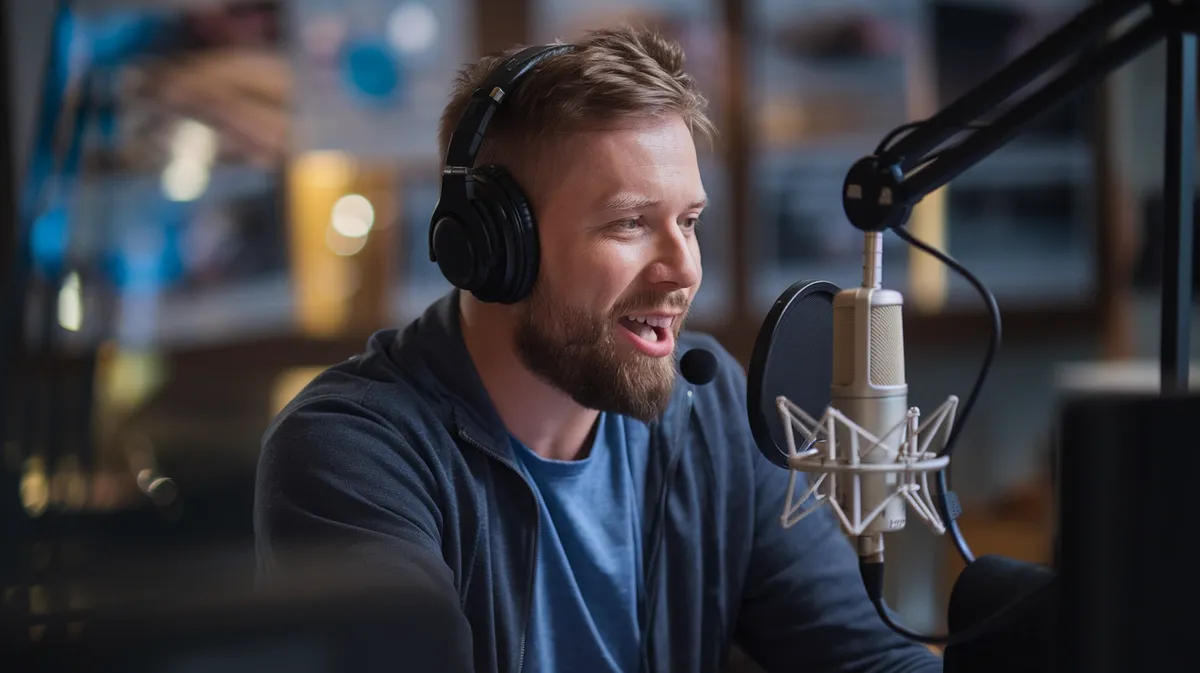
This step makes or breaks realism. I use Nano Banana Pro to generate one high-quality still of the person and background. Start from a JSON prompt that locks in better color. Then tweak the scene details with a chat model. If the still looks like a stylized painting, the final video will also look off. Aim for real skin texture, believable lighting, and a clean background.
Step 4 7 Animate with Veed Fabric 1.0
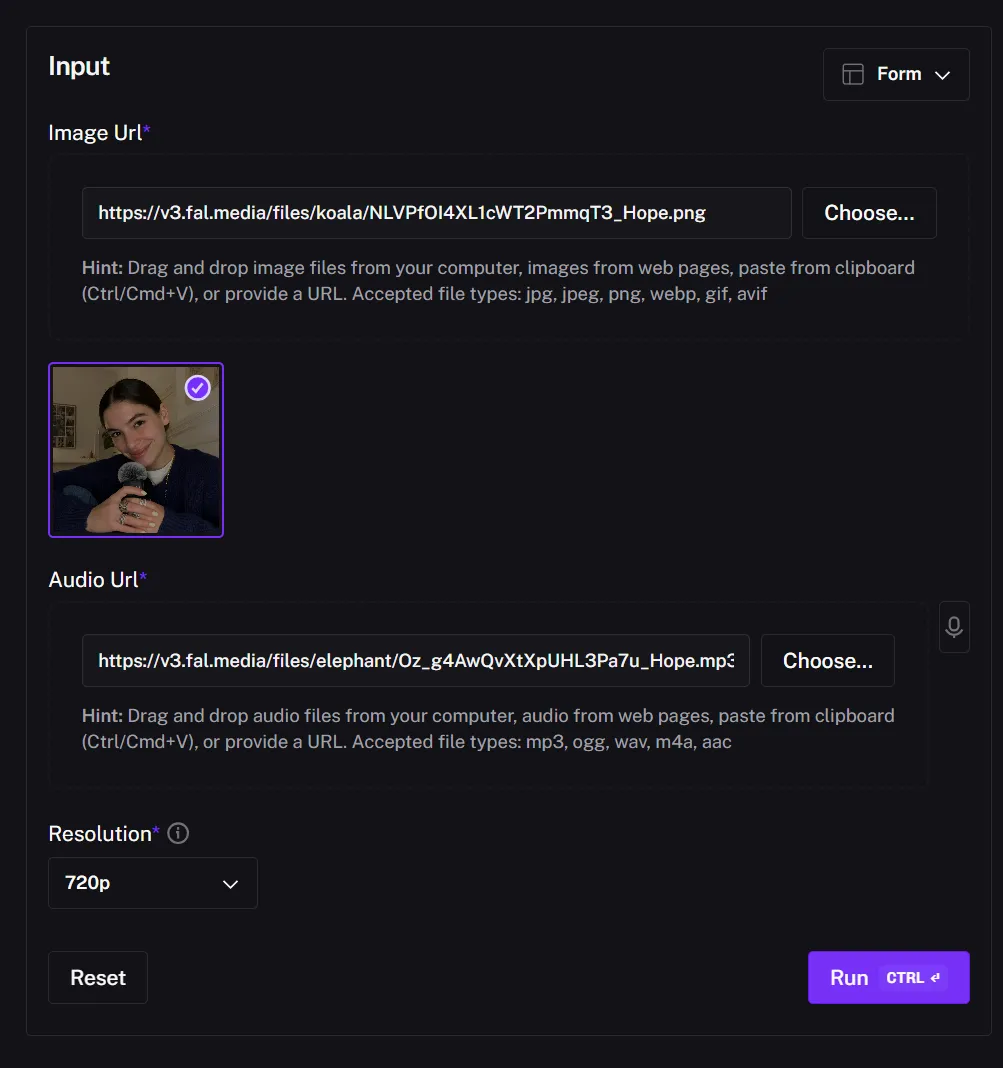
Send your Minimax audio and Nano Banana image into Veed Fabric 1.0 on Fal.ai. Start at 480p to keep costs down, check lip sync, then commit. It's designed to turn a single image plus audio into a vertical talking head. This is the easiest part of the process when your still and voice are good.
Step 5 7 Upscale smart
Only upscale after you like the 480p result. This is where most people burn cash. Confirm framing, expressions, and sync first. Then bump to 720p or 1080p with an affordable upscaler. It's faster and cheaper than re-generating high-res from scratch.
Step 6 7 Add captions, overlays, and micro-motions
Use CapCut or TikTok's editor to add high-contrast captions, a few emojis, and slight punch-in/out every few seconds. Short beats, fast cuts. Try the same sentence with two different caption rhythms to see what holds attention longer.
Step 7 7 Post, then test hooks like a scientist
Most views live or die in the first 3 seconds. Post 2 3 versions with different hooks and watch retention. Keep the winner's structure for the next script. Rinse, repeat.
Tool stack cheat sheet: quality vs price
I've tested a lot. Here's what I reach for and why.
Text-to-speech options
| Feature | Minimax | ElevenLabs V3 | Qwen3-TTS |
|---|---|---|---|
| Pricing | Budget-friendly | Higher, premium quality | Free/open source |
| Quality | Natural cadence, fast | Best when tuned | Good for local |
| Best use | Daily content at scale | Hero clips, ads | Local workflows |
Base image generators
| Feature | Nano Banana Pro | Other Options | Why I pick it |
|---|---|---|---|
| Color control | JSON-based tuning | Varies | Realistic skin tones |
| Access | Fal.ai, Google AI tools | Multiple | Easy to iterate |
| Output style | High realism | Mixed | Less uncanny |
Avatar video models
| Feature | Veed Fabric 1.0 | InfiniteTalk | WAN 2.2 |
|---|---|---|---|
| Pricing | Per second | Open source | Open source |
| Quality | High fidelity, UGC-ready | Strong value | Decent realism |
| Best use | Selfie-style TikToks | Budget builds | Experiments |
You can also access models through aggregators like Wavespeed.ai or run open-source models on a cloud rig. If you're new, stick to Fal.ai for less setup and faster wins.
Pros
- Simple three-model flow: TTS, base image, avatar video
- Costs stay predictable with per-second pricing
- Fast to scale, easy to batch scripts and renders
Cons
- High-res renders get pricey if you skip 480p checks
- Bad base image ruins the whole video
- Over-polished voices kill retention
Automate your production with agents (batch scripts, voiceovers, and renders)
One video is cute. Ten per week moves the needle. Here's how I automate without losing quality.
Idea engine
- Agent pulls trends and comments into a sheet, drafts 10 hooks per topic.
- Keep a backlog with tags like 22Education22, 22Story22, 22Offer22.
- Approve 3 5 hooks for scripting per day.
Script-to-voice
- Auto send approved scripts to the Fal.ai API for Minimax TTS.
- Store WAVs in a cloud folder and ping a Slack channel when they're ready.
- Lock a naming format: slug_hook_date.wav so files stay tidy.
Render queue
- Each row has image path, audio path, model settings, and output size.
- Trigger Veed Fabric jobs from a spreadsheet or a simple script.
- Auto-name files with slug, hook, timestamp. No more lost renders.
Human review
- One checkpoint before final: policy, brand words, and uncanny check.
- Fix timing, tweak pauses, re-render at 480p if needed.
- Only upscale once the 480p pass is clean.
Avoid these mistakes: policy, rights, and uncanny traps
- Label synthetic media: Be transparent when an avatar or cloned voice is used. It builds trust and avoids takedowns.
- Voice rights: Only use voices you have rights to and consent for. Keep a paper trail for client work.
- Fix uncanny vibes fast: Add micro-pauses, breaths, and subtle camera moves. Avoid ultra-clean studio acoustics. Aim for a casual room feel.
- Music: Use platform-licensed sounds or audio you've cleared. Nothing kills distribution like a copyright strike.
What counts as 22good22 performance
For a new account, I aim for a 35% hook hold on a cold audience and at least 30% completion on 15 30s clips. If a version flops, I don't overthink it. I just ship the next hook with the same core message.
When to use more advanced setups
Once your talking heads are stable, you can test dynamic scenes. The open-source path includes models like InfiniteTalk and WAN 2.2 for talking heads and movement. There are also AI UGC ad builders that stitch shots, captions, and hooks for you. Tools like UGC Maker, TopView AI, and Arcads AI can automate more of the ad flow with AI actors and camera moves. For organic content, I still prefer the simple Fal.ai pipeline, then remix into ad formats later.
- Selfie-style AI UGC with a tight hook outperforms complicated scenes for most accounts.
- Render at 480p to validate lip sync and facial motion, then upscale to save money.
- Batch scripts, voices, and renders with a light agent workflow to post 10x more often.